Theme Information
- Name: Simpler – A modern portfolio theme for Jekyll.
- Simpler is a sleek and modern portfolio theme for Jekyll. The theme comes with a variety of features, including support for GitHub Pages, dark mode, social media integration, a built-in contact form, and much more. The theme is fully responsive, meaning it will look great on any device, and it's optimized for SEO, ensuring your work gets the attention it deserves. Whether you're an illustrator, web designer, photographer, or artist, Simpler is the perfect theme to showcase your work online.
- Current Version: 1.0
- Released: 31/03/2023
- Creator: Artem Sheludko
Table of Contents
- Configurations
- Installing Ruby & Jekyll
- Deployment
- Posts
- Pages
- Projects
- Gallery
- Navigation
- Disqus Comments
- Google Analytics
- Update favicon
- Credits
- Support
Configurations
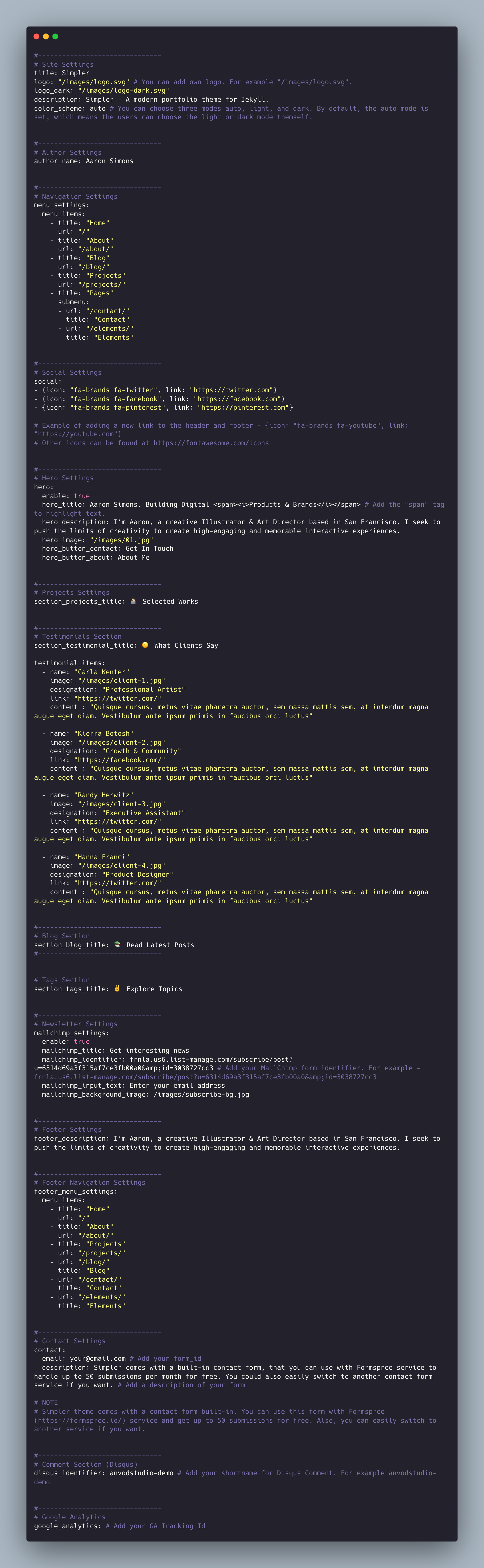
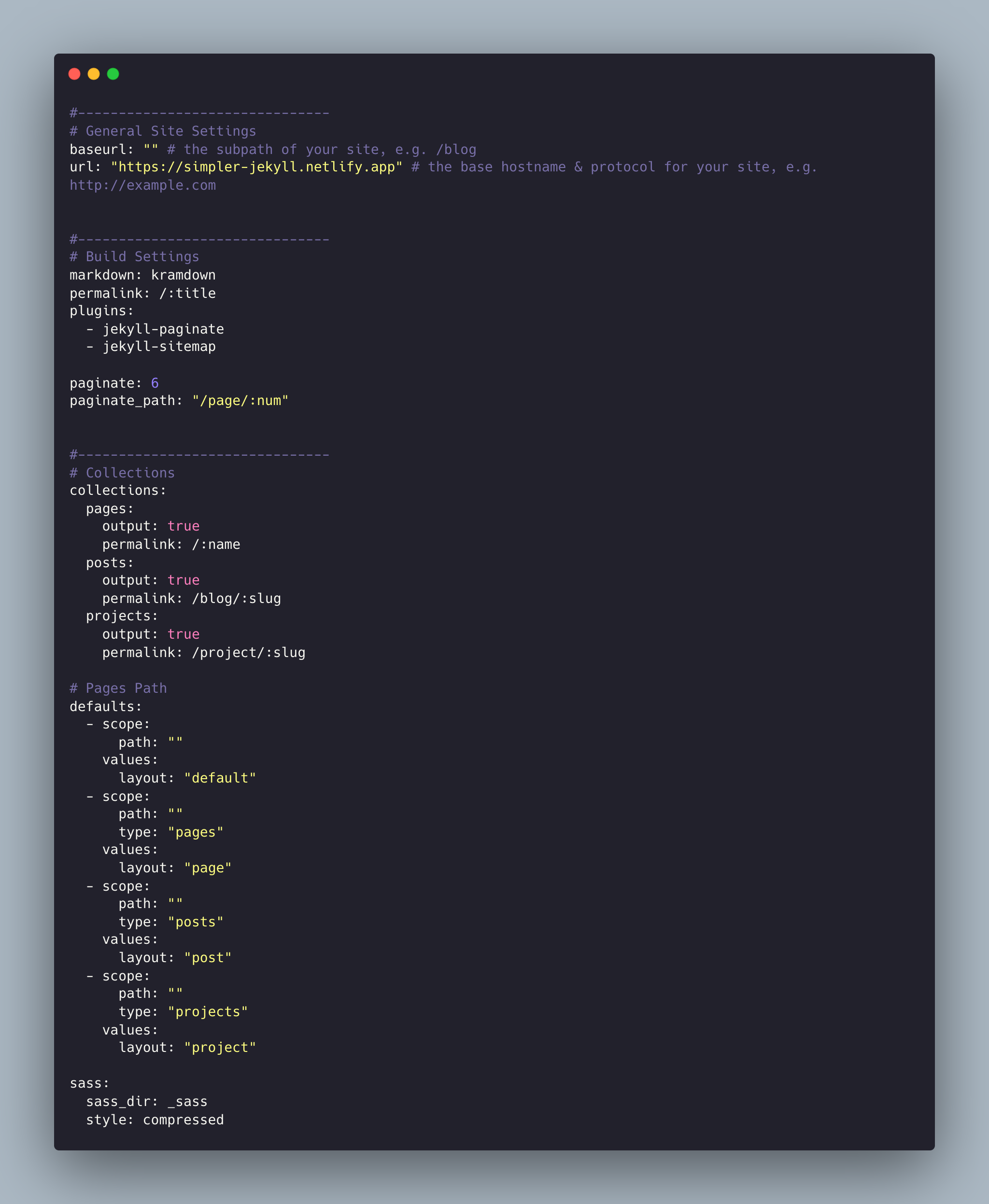
Simpler theme comes with different customizations the _data/settings.yml and config.yml files:
Installing Ruby & Jekyll
If this is your first time using Jekyll, please follow the Jekyll docs and make sure your local environment (including Ruby) is setup correctly.
Deployment
To run the theme locally, navigate to the theme directory and run bundle install to install the dependencies, then run bundle exec jekyll serve to start the Jekyll server.
I would recommend checking the Deployment Methods page on Jekyll website.
Posts
To create a new post, you can create a new markdown file inside the _posts directory by following the recommended file structure.
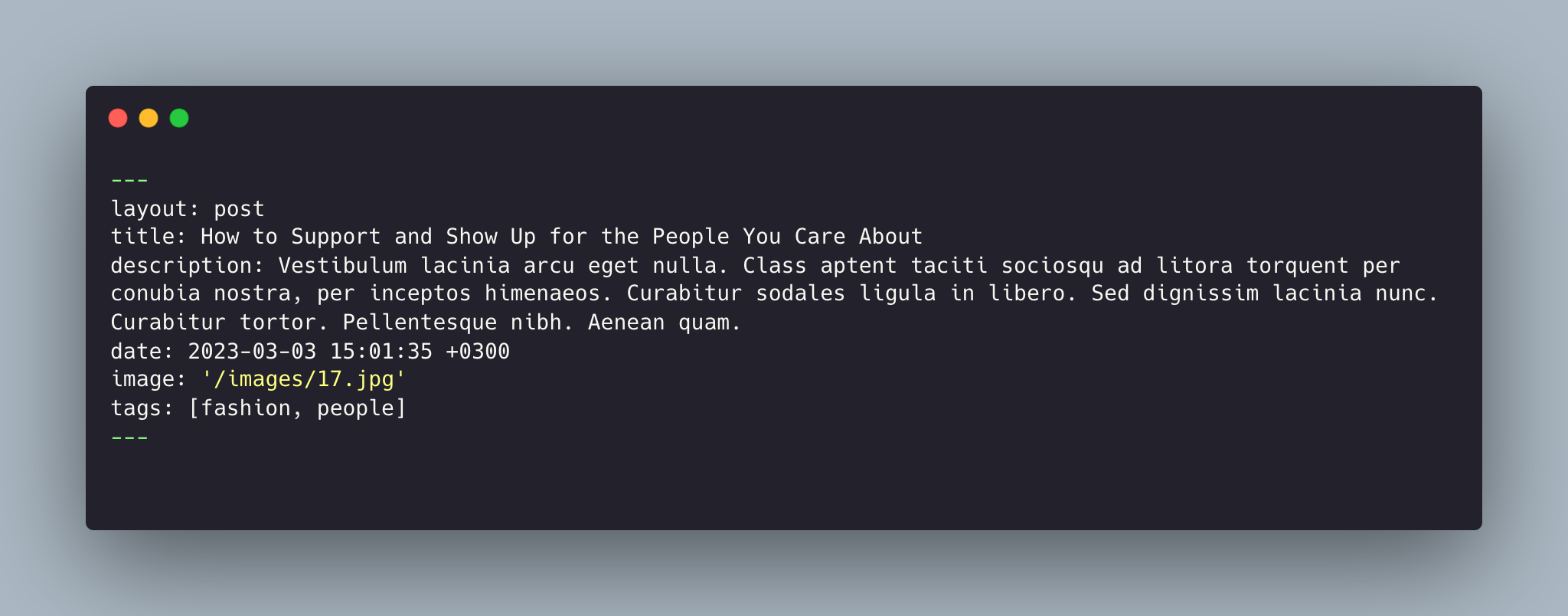
You can set the title, description, tags and the post image.
Add post images to /images/ directory.
Full width image
To have wide images in posts or pages simply add #wide word with the hashtag at the end of image path like in the example below:

For tags, try to not add space between two words, for example, Ruby on Rails, could be something like (ruby-on-rails, Ruby_on_Rails, or Ruby-on-Rails).
Pages
To create a new page, just create a new markdown file inside the _pages directory.
The following is the about.md file that you can find as an example included in the theme with the configurations you can set.
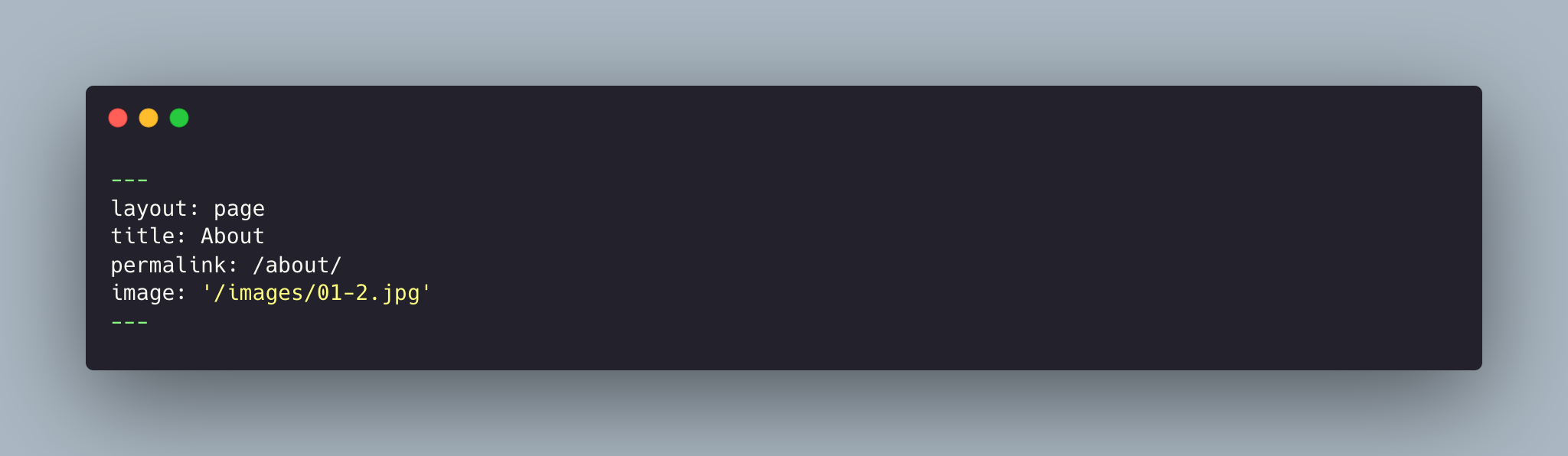
Things you can change are: title and image name.
Projects
To create a new project, just create a new markdown file inside the _projects directory.
The following is the 2023-01-02-social-environment.md file that you can find as an example included in the theme with the configurations you can set.
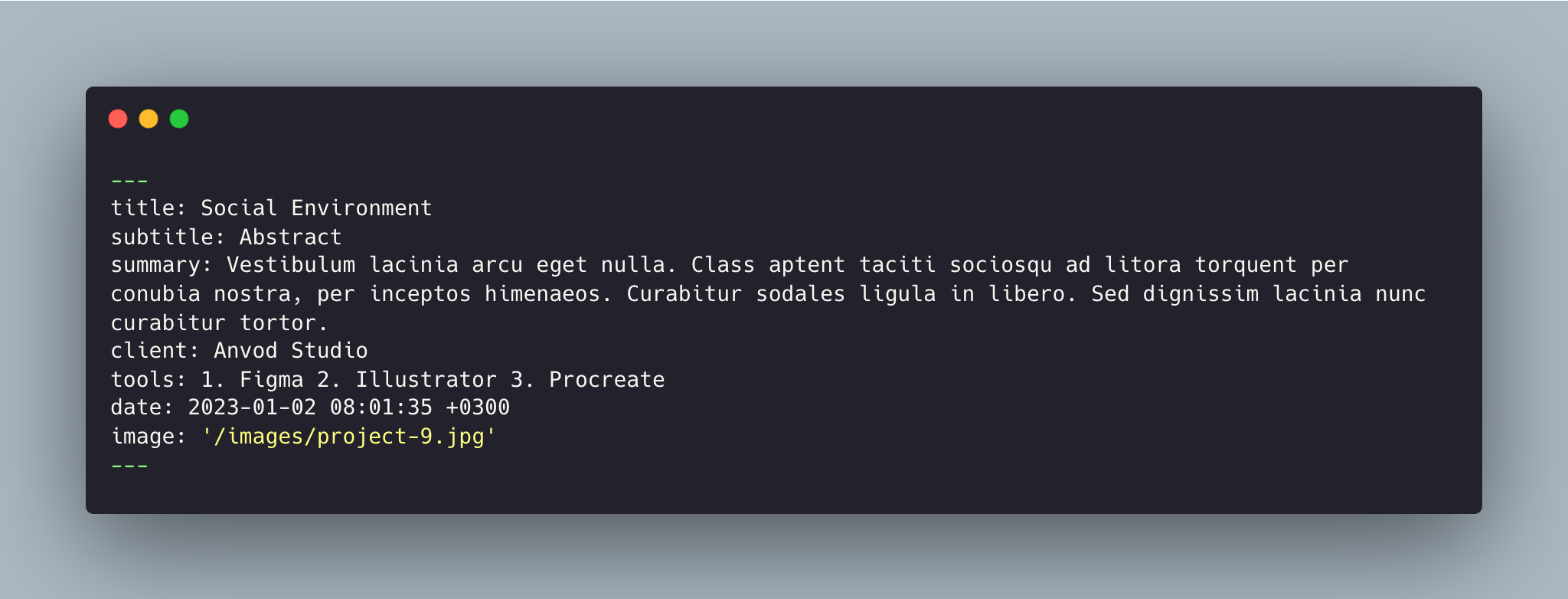
Things you can change are: title, subtitle, summary, client, tools, and image name.
Gallery
Use HTML markup to use gallery on pages. For example:
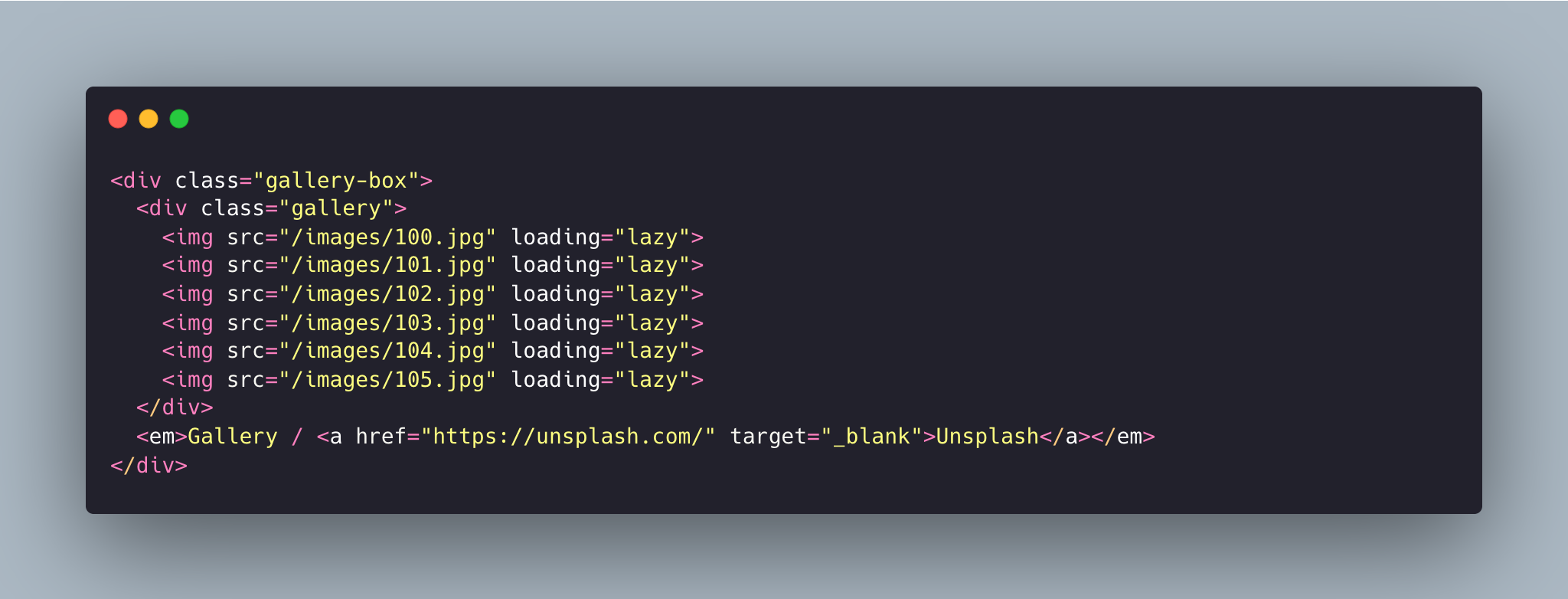
Don't forget to provide the correct path for your images.
Navigation
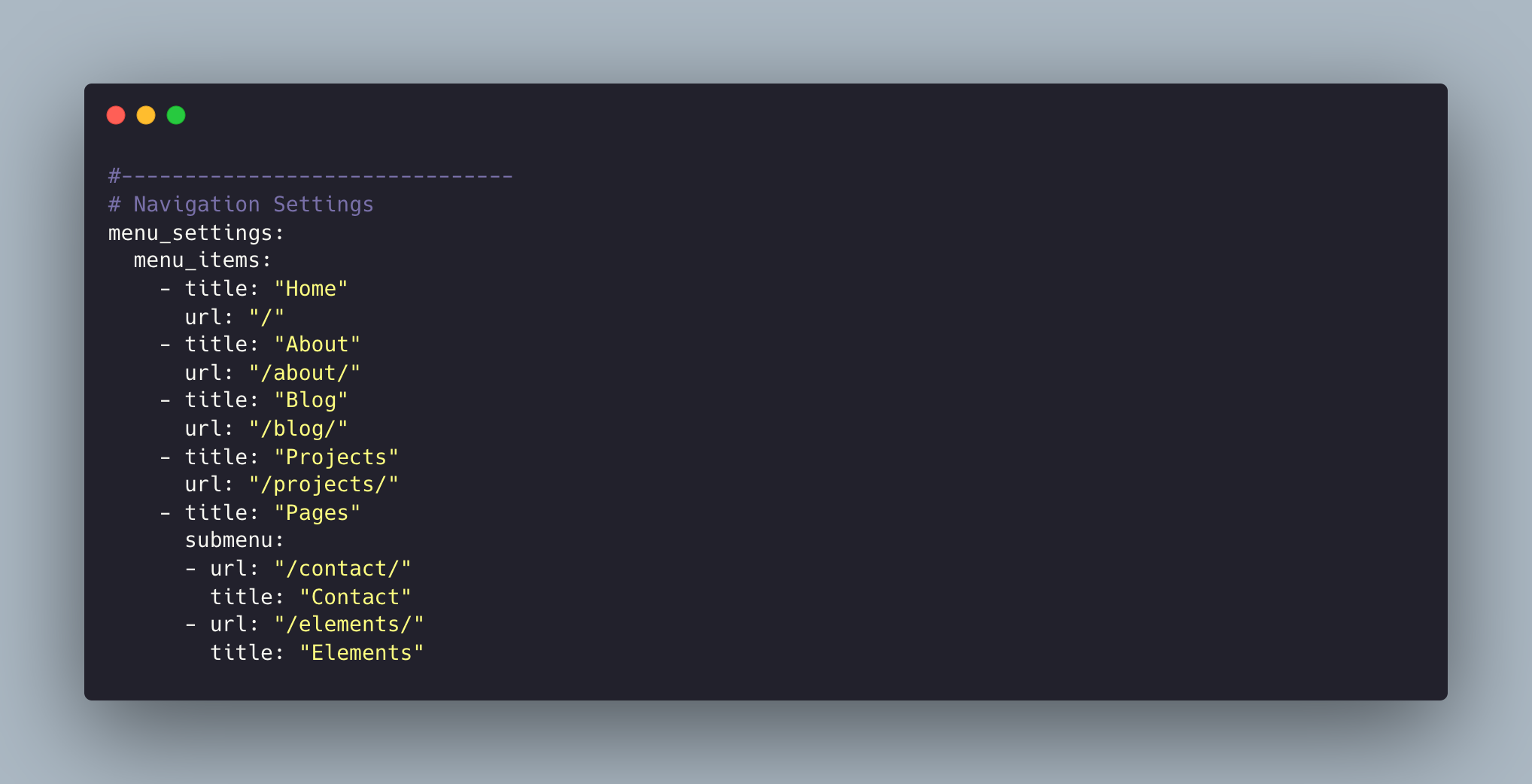
This allows you to set the links inside your menu. Add each one as a list item with a title and url. Make sure you leave a trailing / at the end of links to category pages (e.g. /blog/ or /projects/).
Disqus Comments
Simpler Theme comes with Disqus comments enabled.
Open settings.yml file, and change the anvodstudio-demo value on line 147 with your Disqus account shortname.
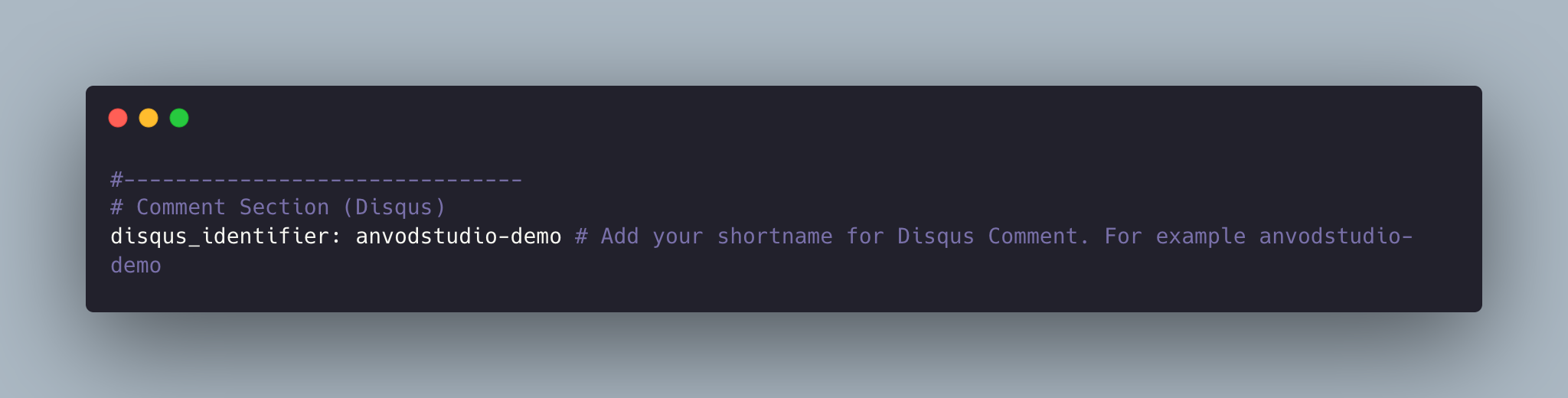
That’s all you need to setup Disqus from the theme side. If you get any issue regarding that comments are unable to load. First, make sure you have registered your website with Disqus (Step 1).
And also check Disqus troubleshooting guide if you still have issues.
Google Analytics
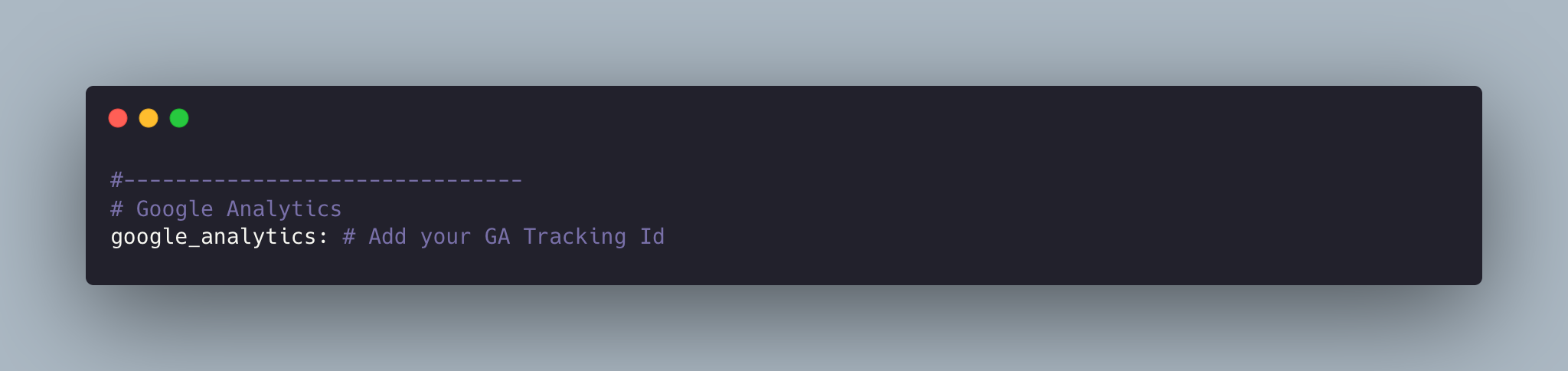
To integrate Google Analytics, open settings.yml, and add your Google Analytics identifier.
Update favicon
You can find the current favicon (favicon.ico) inside the theme root directory, just replace it with your new favicon.
Credits
I have used the following scripts, fonts or other files as listed.
- Google Fonts (Newsreader, Mulish).
- Vanilla Lazyload
- Font Awesome
- Lightense Images
- Reframe.js
- Tiny Slider
- Preview Images form unsplash.com, freepik.com
Support
If you have any questions or feedback about the theme, please feel free to contact me by mail.
Contact Artem